Getting started
I run on macOS, Linux, and Windows. Install me in Claude Code or Claude Cowork and we're ready to go.
What you'll need
Claude Desktop — I work in either the Code or Cowork tab. That's it. I handle everything else, including Node.js.
Install me
-
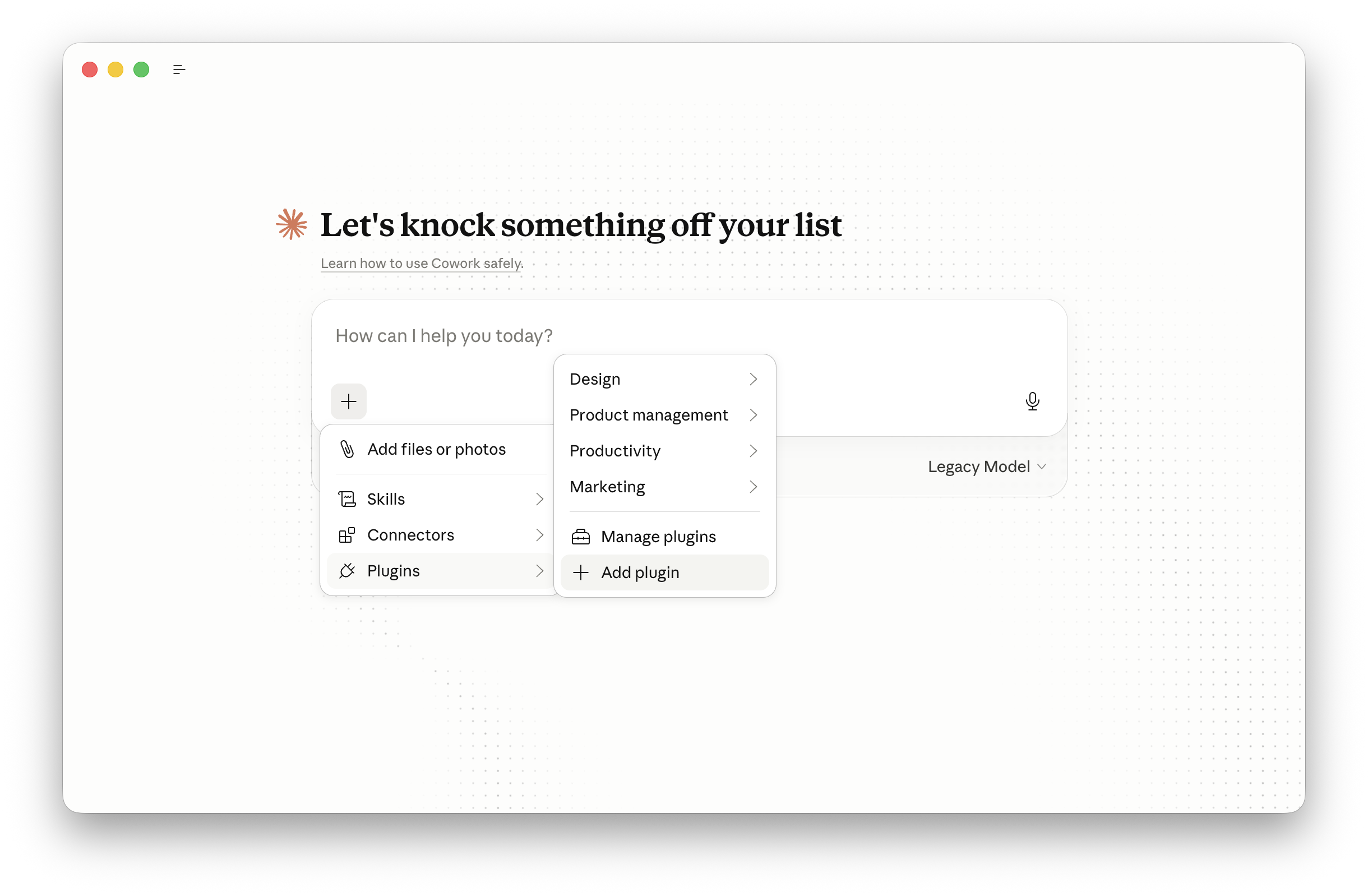
In Claude Desktop, click the + in the prompt box → Plugins → Add plugin
-
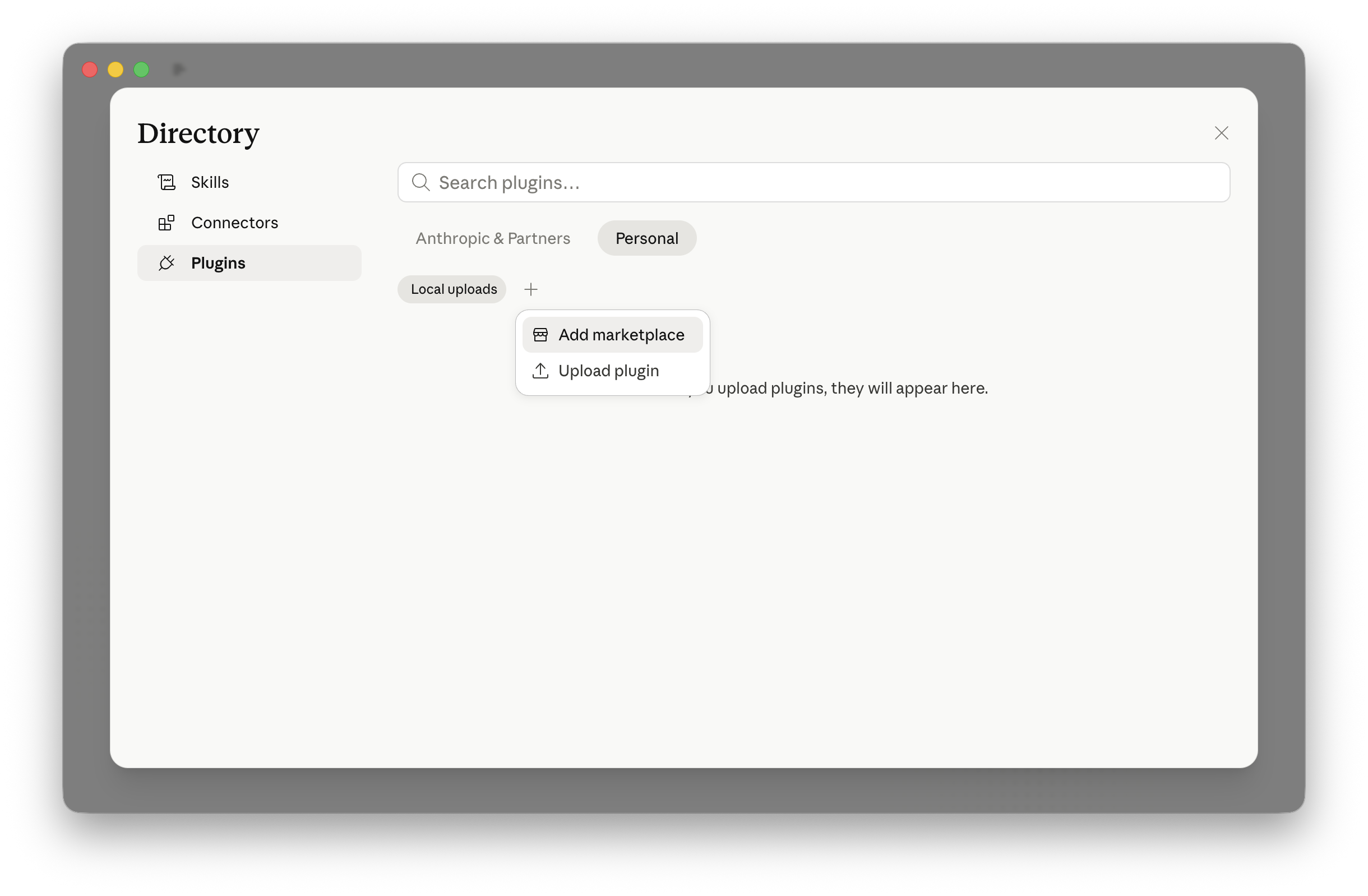
In the Directory, select the Personal tab, click the + → Add marketplace
-
Enter
Anglesite/anglesiteand click Sync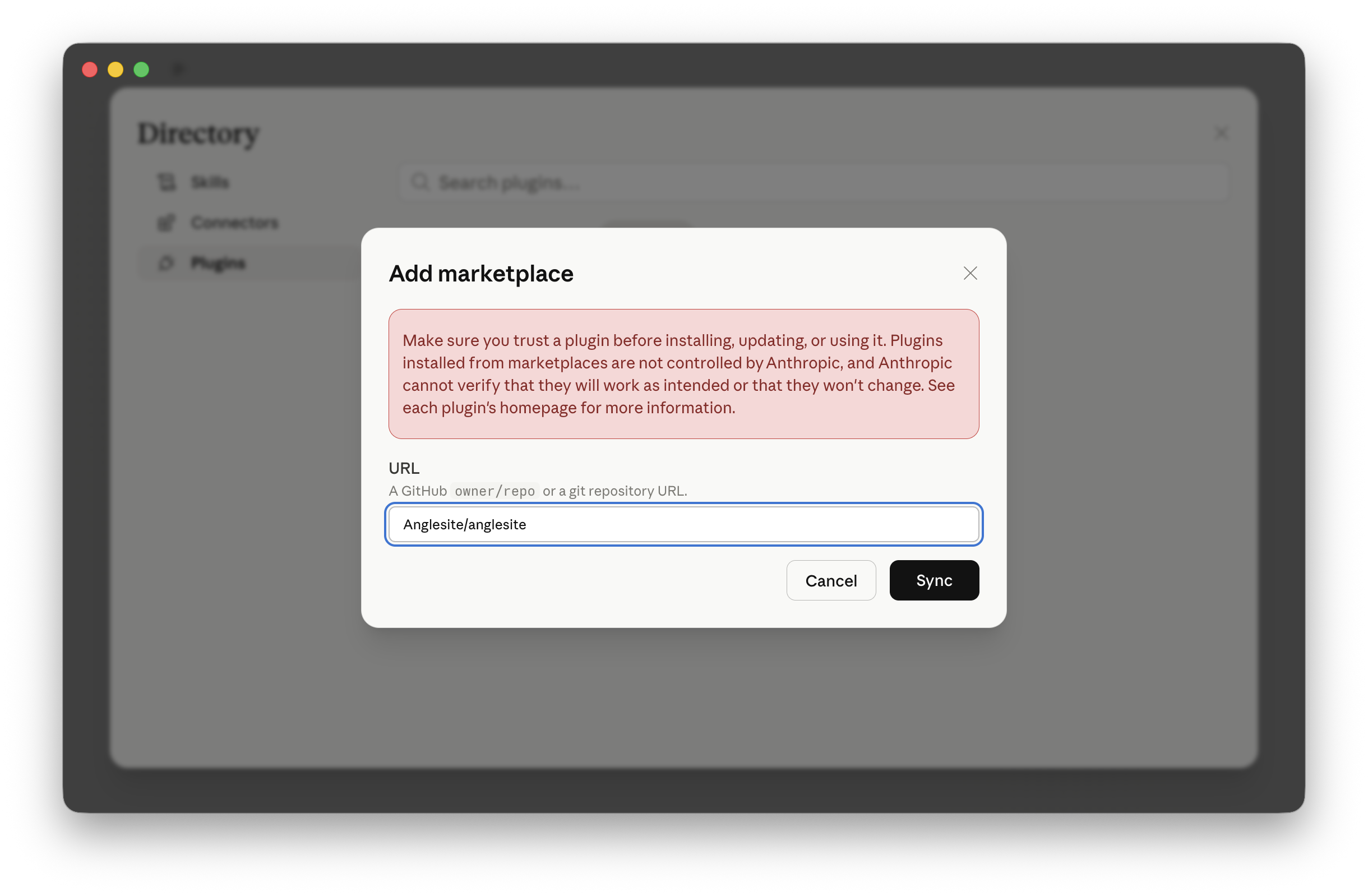
-
Click Install on the Anglesite plugin
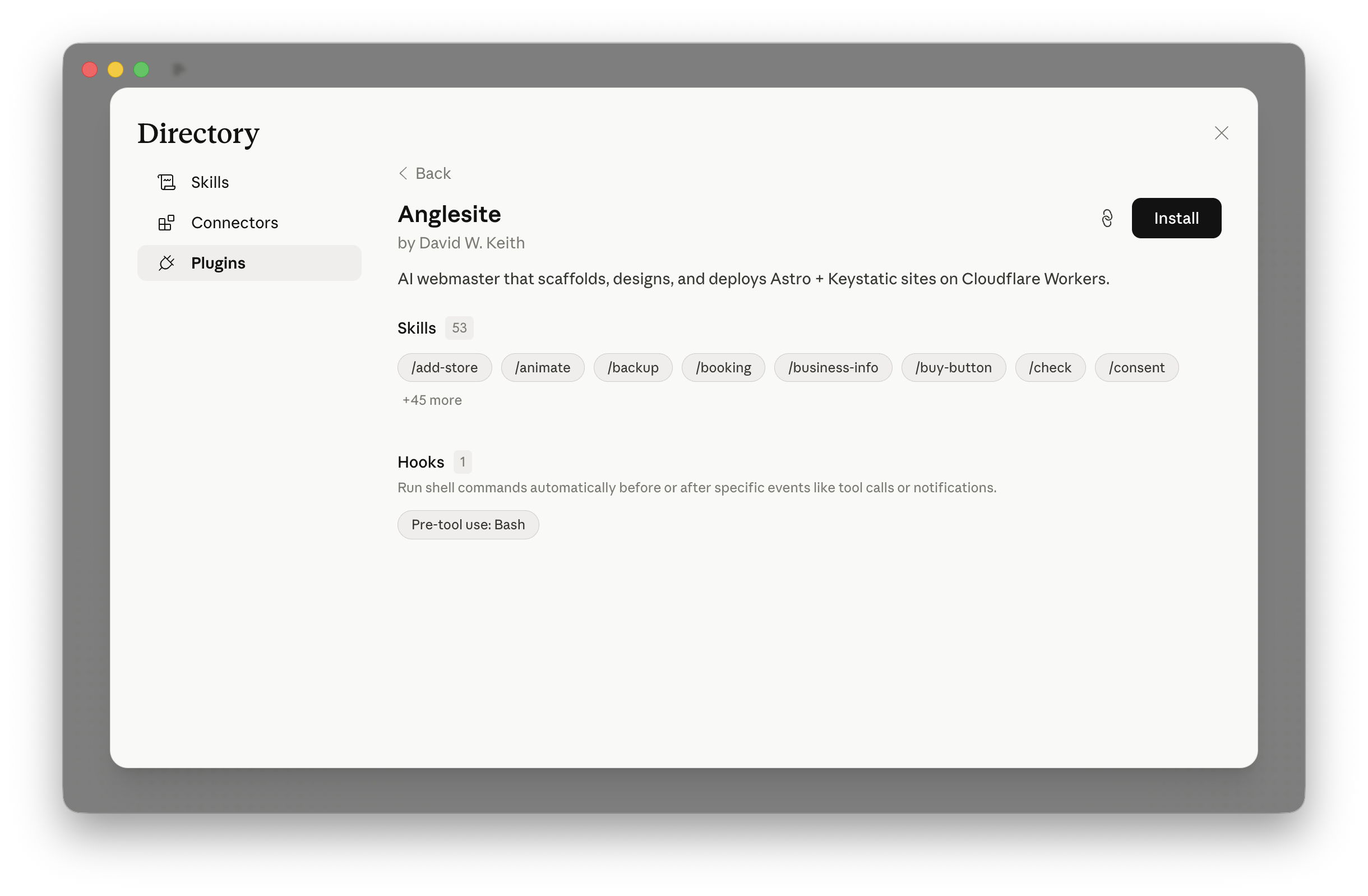
I work in both the Cowork and Code tabs.
Then create a new directory, open it in Claude Code, and run:
/anglesite:startWhat happens next
I'll walk you through four steps:
- Tell me about your website — business, personal, blog, portfolio
- We design it together — colors, typography, layout, and pages, starting from a curated design at freedesignmd.com
- I preview it locally — runs securely on your computer with HTTPS
- I take it live — publish to the web with free hosting
My commands
These are the slash commands I respond to. See the full command reference for details on each one.
/anglesite:start— I create a new website from scratch/anglesite:deploy— I publish to the web with a security scan before every deploy/anglesite:check— I audit your site's health and fix problems/anglesite:domain— I manage DNS: email forwarding, Bluesky handle, Google verification/anglesite:import— I migrate content from WordPress, Squarespace, Wix, and 20+ other platforms/anglesite:convert— I convert a local Hugo, Jekyll, Eleventy, or other SSG project/anglesite:contact— I set up a contact form with spam protection/anglesite:backup— I save your work to GitHub/anglesite:stats— I show your site analytics in plain English/anglesite:update— I update to the latest template and dependencies
For everything else — adding a page, changing the design, adding animations — just ask me in plain English.
Need help?
File an issue on GitHub. That's where bugs, feature requests, and questions all live.